
How to fix “The link you followed has expired” error?

Hosting companies have a setting which controls the size of files you can upload from inside the WordPress admin area. They also have a setting which stops scripts from running too long.
You can see the file size upload limit by visiting Media » Add New page.
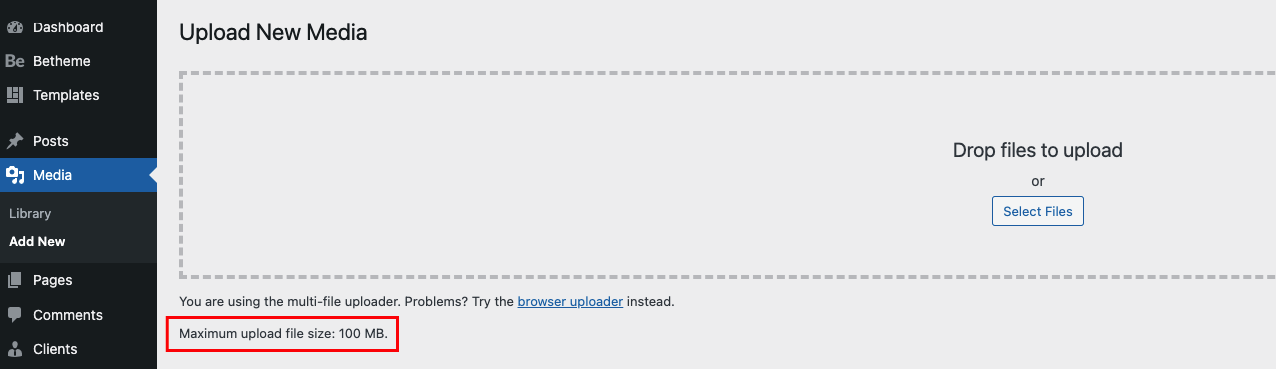
If this setting is too low or you are trying to upload larger file, then you will surely get the error mentioned above.
How to fix it?
The easiest way to fix "The link you have followed has expired" error is to increase the file upload size, PHP memory, and execution time limits for your website.
There are multiple ways to do that so please pick up the one that is easiest for you and apply to your hosting envioronment.
1. Increase the limits in functions.php file
Please find functions.php on you FTP and simply add the following code at the very beggining of the file:
Please note, the values for upload_max_size, post_max_size and max_execution_time has to be adjusted to your needs.
2. Increase the limits in .htaccess file
In our opinion, this method is better because according to above method, functions.php won't be overwritten with theme update.
To increase the limits in .httaccess file, you will need an FTP client like FileZilla or the file manager app in cPanel. Simply edit the file and add the following code at the bottom of the file:
Don’t forget to save your changes and upload the file back to your server.
3. Increase the limits in php.ini file
Similar to method 2, you'd need to connect to connect to your WordPress website using an FTP client like FileZilla and look for php.ini file in your site’s root folder.
Most users are on a shared hosting, so they may not find this file. In that case, you need to create a blank php.ini file using a plain text editor like Notepad or Sublime and upload it to your FTP. When it's done, edit the file and add the following code inside:
Don’t forget to save your changes and upload the file back to your server.
You can now visit your WordPress website and try to upload the Betheme. The error would disappear, and you should be able to upload the file.
If it doesn’t, then you have to contact your admin/hosting provider, because most likely these limits need to be changed directly on the server side.